Aperture
A PostgreSQL and SQLite client for macOS: filters in plain SQL, edits in one transaction, and query plans that explain themselves.

Aperture is an open-source PostgreSQL and SQLite client for macOS, under MIT.
A table is three lines of SQL
Every table has three fields above it: WHERE, SELECT and ORDER. Want the paid and shipped orders over 25? That is exactly what the filter says:
status in ('paid', 'shipped') and total > 25
Plain SQL, highlighted, with autocomplete fed by the schema.
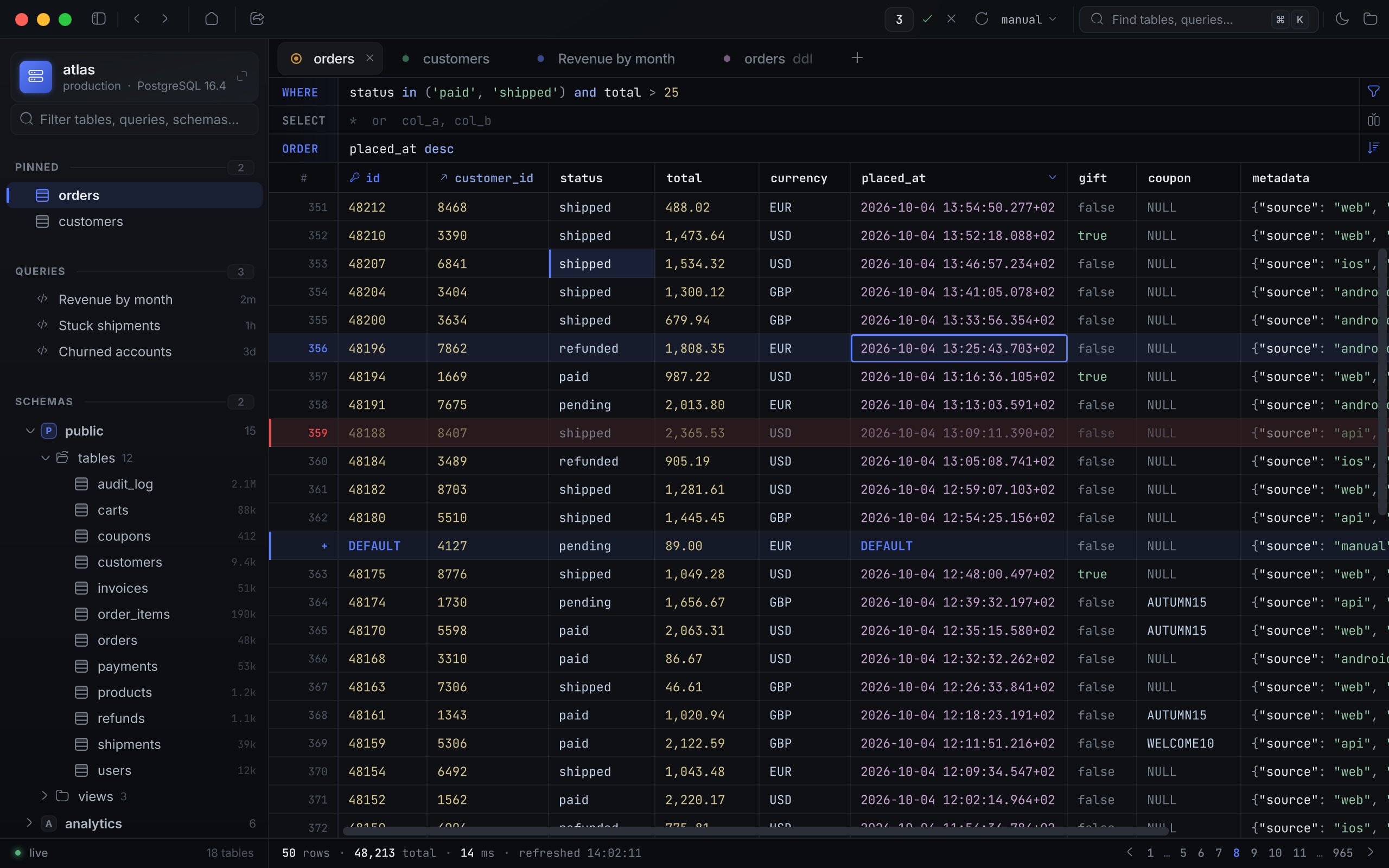
The grid is dense, and nothing gets lost in it. Every cell is coloured by its type — a date never passes for a number, and NULL never passes for an empty string. Column widths are remembered per table. A click on a header sorts by it; a click on the next one adds it as the second key. A right-click on a cell copies it, filters by its value, or follows its foreign key into the related table.
And how do you get back? ⌘[. Forward again — ⌘]. History remembers tabs, filters and sorts the way a browser remembers pages.
Edits wait until you send them
A double-click on a cell opens not a text box but an editor built for its type.
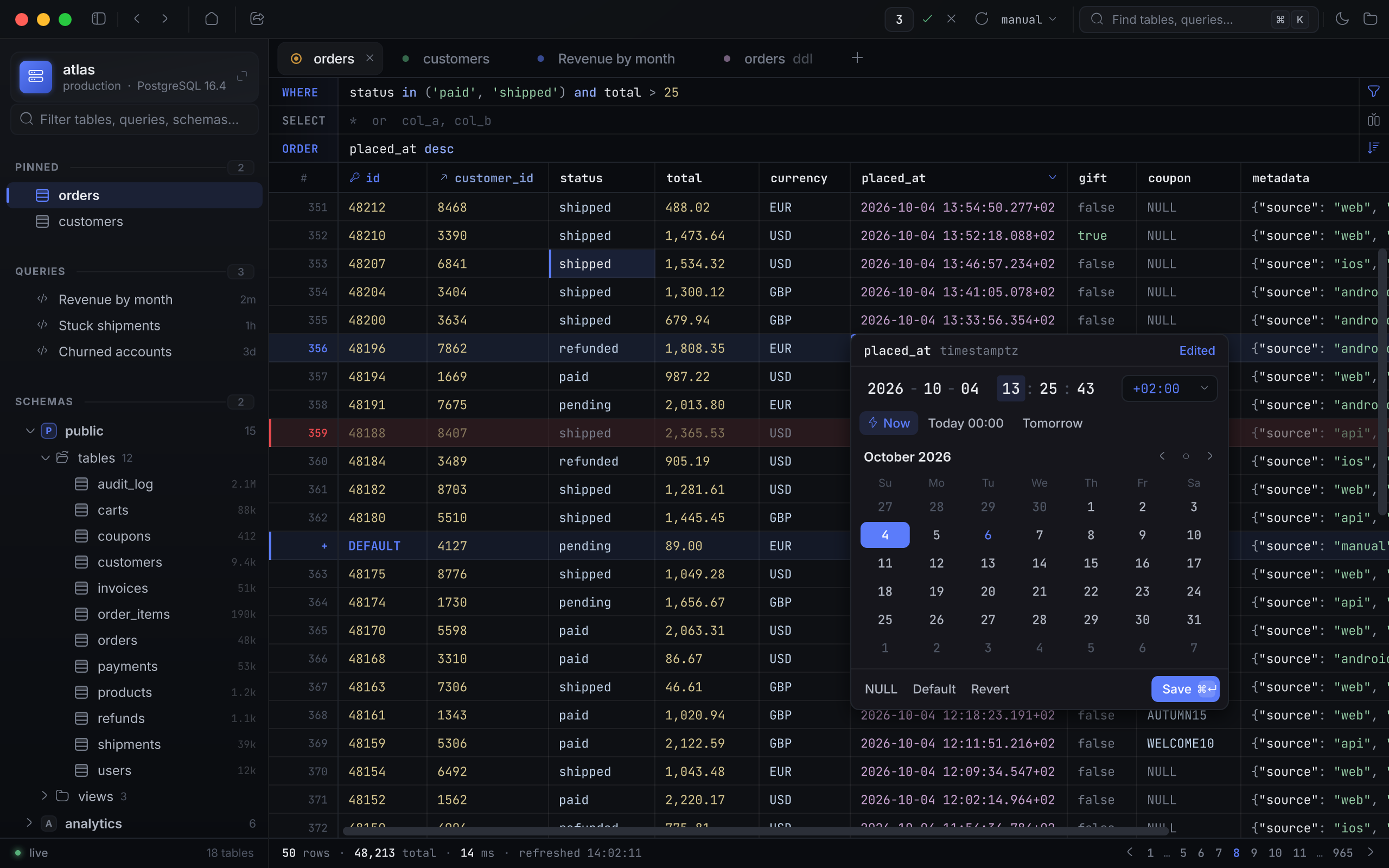
A timestamptz gets a calendar, a clock and a time zone. A bool gets three buttons: true, false, NULL. JSON gets a highlighted editor. NULL and DEFAULT are one click away, and greyed out wherever the schema forbids them.
The time is changed. Save.
Nothing has reached the database.
The edit stays in memory: the cell is highlighted, and a counter lights up in the toolbar. A deleted row, a new row — they go to the same place, the counter climbs, and the database still knows nothing about any of it.
So what will actually be sent? That is what the window behind the counter shows.
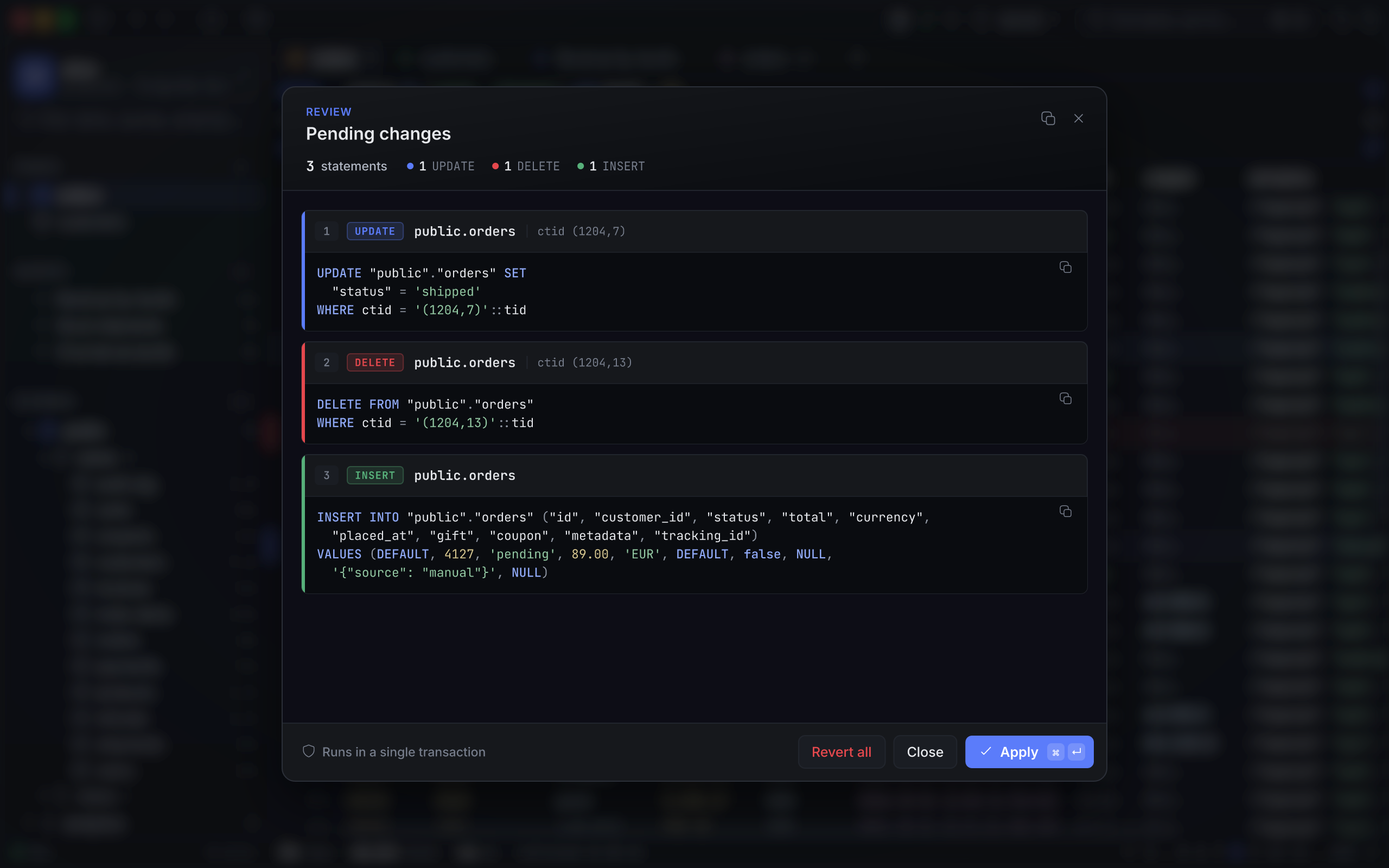
Every statement is here in full. Not “3 rows changed”, but the UPDATE … WHERE ctid = '(1204,7)'::tid itself: which row, which column, which value. Apply sends it all as one transaction; Revert all throws it away. For anyone sure enough to skip the review, the checkmark next to the counter does what Apply does.
That transaction has a safety catch. Rows are found by ctid on Postgres and by rowid on SQLite. If any statement touches anything other than exactly one row — zero, because someone already deleted it, or two, because something went wrong — the whole batch rolls back.
It is a trade: every edit costs one extra step. In return, nothing reaches the database without Apply.
Every statement in a script runs on its own
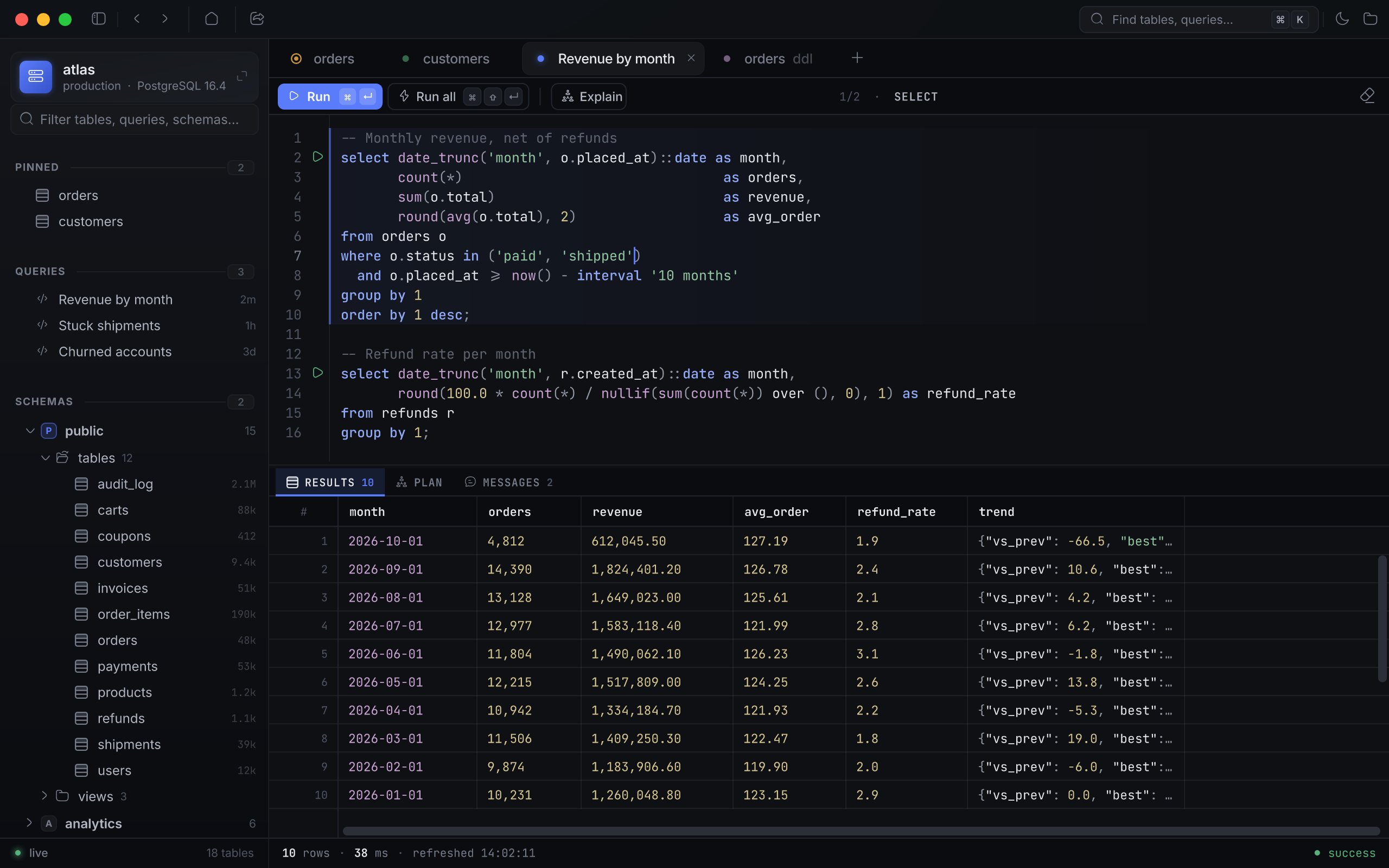
Each statement has a ▶ beside it. ⌘↵ runs the one under the caret, ⌘⇧↵ runs the whole script in order, stopping at the first error. Aperture splits the script itself and knows where each statement really ends: a semicolon inside a string, a comment or a $$ … $$ body won’t fool it.
And if you forget the LIMIT? A bare SELECT is capped at 10,000 rows, and the grid says so. A million rows won’t land in the window.
Queries save themselves, to their own connection, and survive a restart.
The query plan tells you what’s wrong
A query is slow. Why?
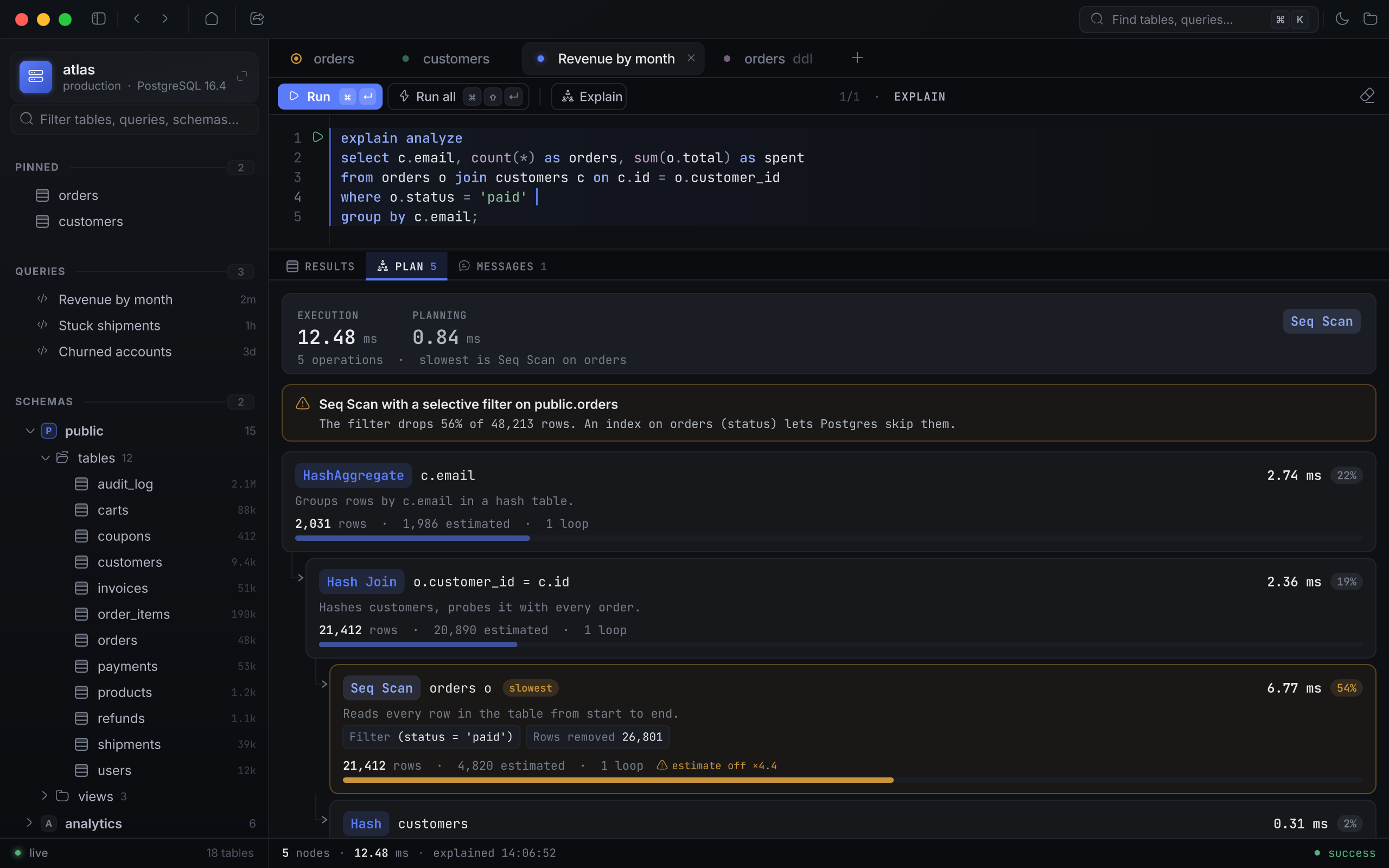
On Postgres, Explain draws the plan as a tree. Each node shows its time, its share of the total, and how many rows were expected against how many arrived. The slowest node is highlighted — no hunting for it.
On top of the tree, a set of rules reads the plan for you. A sequential scan whose filter throws away nine rows out of ten. A sort that spilled to disk. A row estimate off by an order of magnitude. Each rule says in plain words what the trouble is and what to do about it — for instance, that an index on the filtered columns would help.
What if it’s the table you need to understand, not the query? Every table and view has a tab of its own: a plain-language description and the DDL. On Postgres the DDL is rebuilt from pg_catalog; on SQLite it comes verbatim from sqlite_master.
⌘K searches everywhere at once
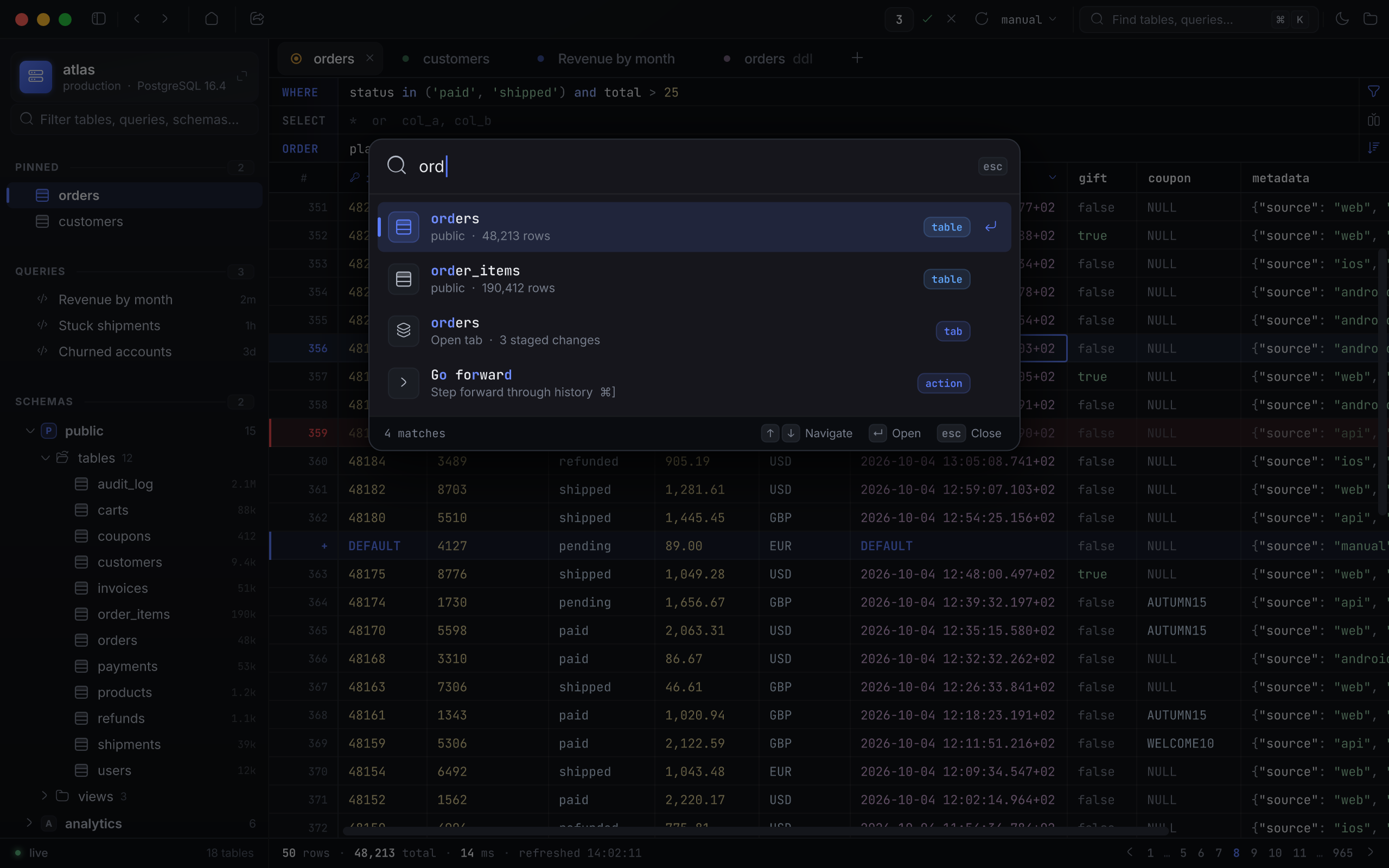
Three letters — ord — and one list holds the orders and order_items tables, the open tab with three unsent edits, and the “go forward” command. The palette searches tables, tabs, recent items, saved queries, connections and commands together.
The database password doesn’t have to live in the app
Where does Aperture keep the production password?
It may not keep it at all. Instead of a password, a connection can hold a command that runs on every connect and prints the password:
op read "op://Private/atlas-prod/password"
The password stays in 1Password. Aperture gets it at connect time and never writes it to disk.
Everything the app does remember — connections, queries, history, settings — sits in one SQLite file encrypted with SQLCipher 4. Its key is a passphrase set on first launch, which can be kept in the macOS login Keychain so you don’t type it every time.
A dropped connection doesn’t close your tabs
The VPN drops. The laptop sleeps. The server restarts.
Every 30 seconds Aperture checks the connection, and when it’s gone, it doesn’t throw you back to the welcome screen. A banner appears with a Reconnect button — and after reconnecting, everything is where it was. The same tabs. The same filters. The same unsent edits.
Worth knowing up front
The store’s passphrase can’t be recovered. Forget it, and the file has to be erased along with every connection in it. That is the price of it actually being encrypted.
The Postgres row count is an estimate. Without a filter it comes from reltuples, not count(*). On a table that just took a large load before its statistics were refreshed, the estimate will be off, and the last pages will hide.
Installs with one drag
Aperture.dmg goes into Applications, and that’s the whole install. The build is signed with a Developer ID and notarized by Apple, so macOS doesn’t complain about an unknown developer. It needs macOS 12 or later.
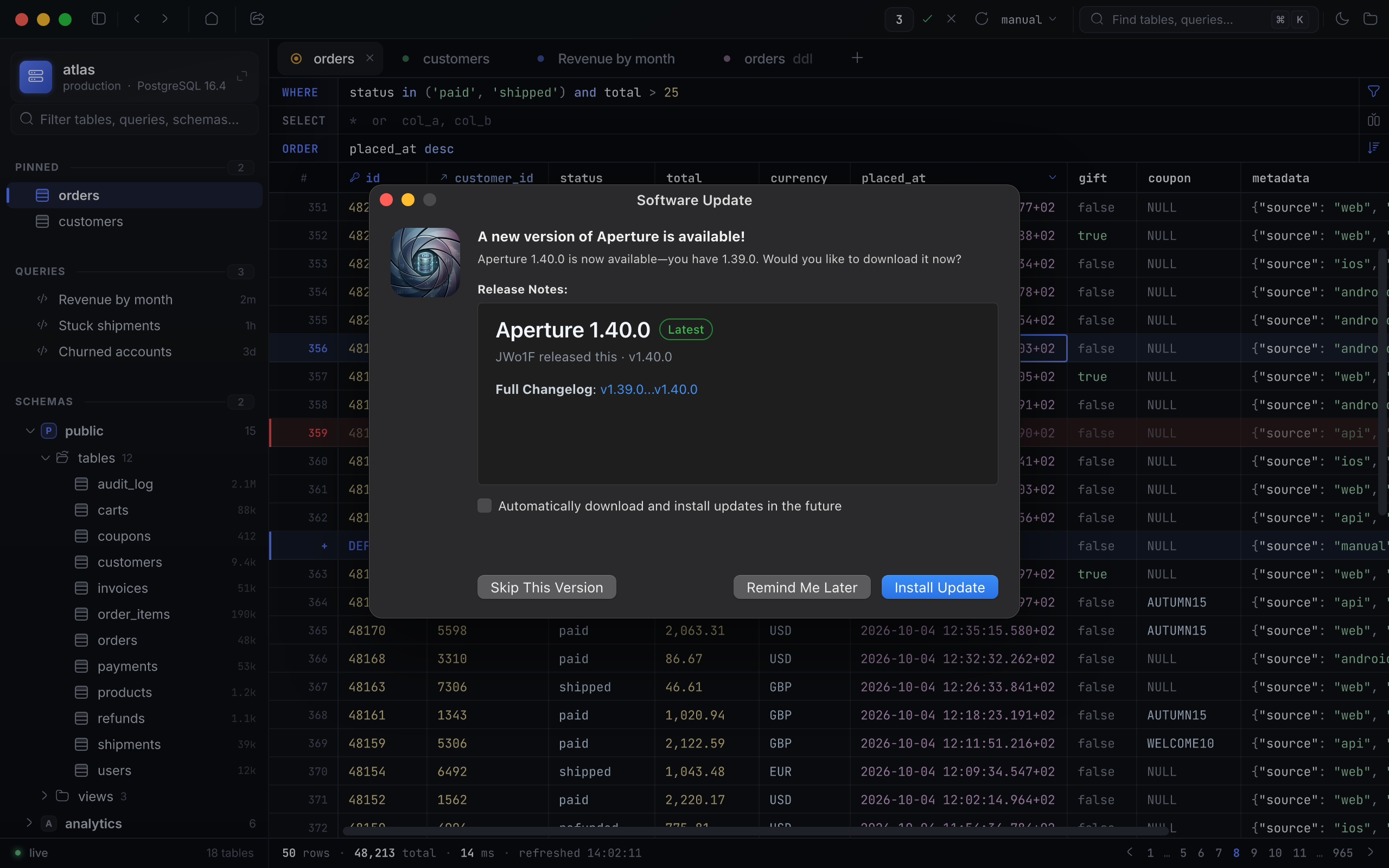
After that, versions take care of themselves. Once a day the app checks for a new release and offers to update. The update installs only if its signature checks out.
The project site is aperture.ivashkin.dev, and the source is at github.com/jwo1f/aperture.